Generating Key Pairs
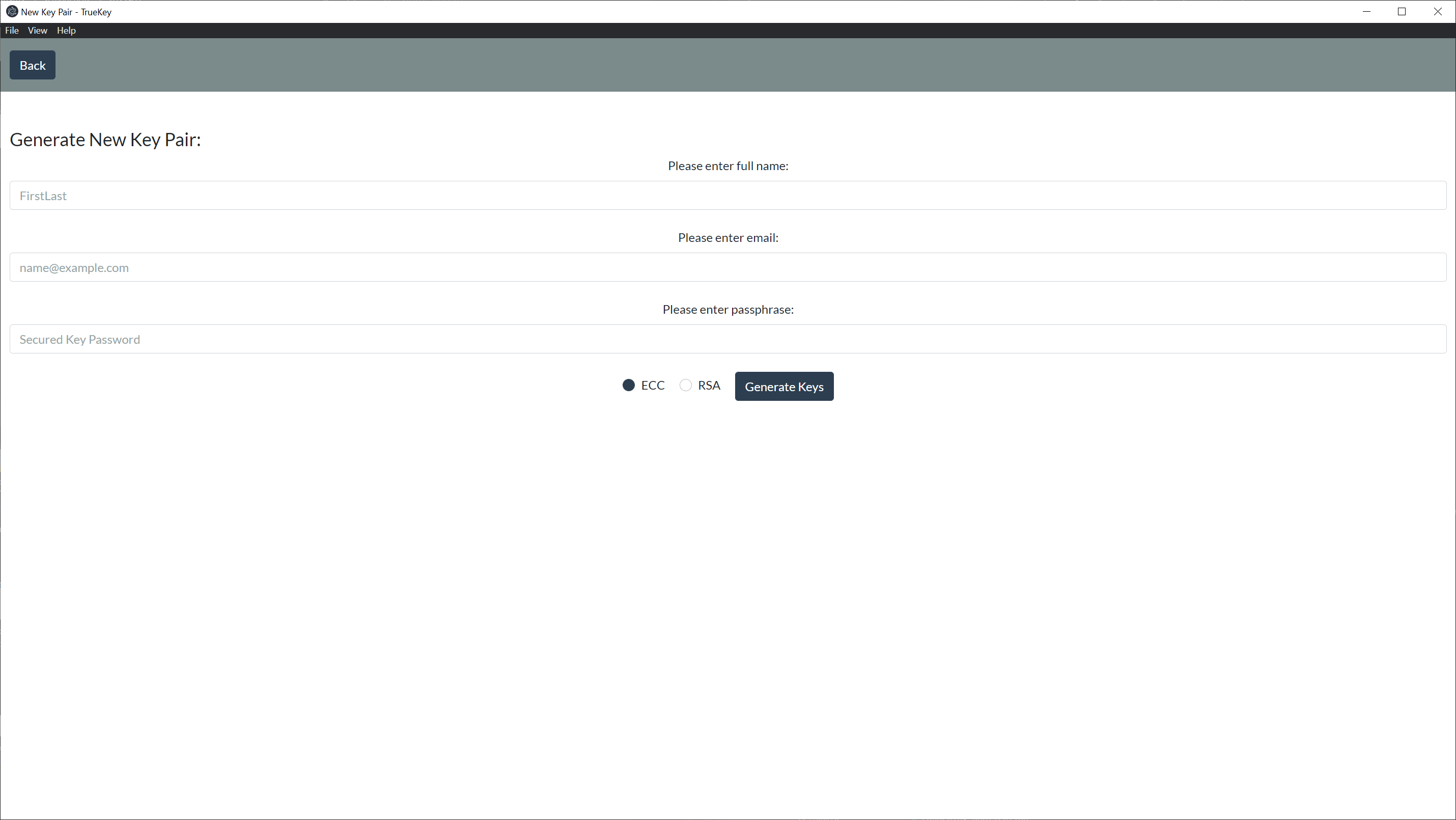
# Key Generation
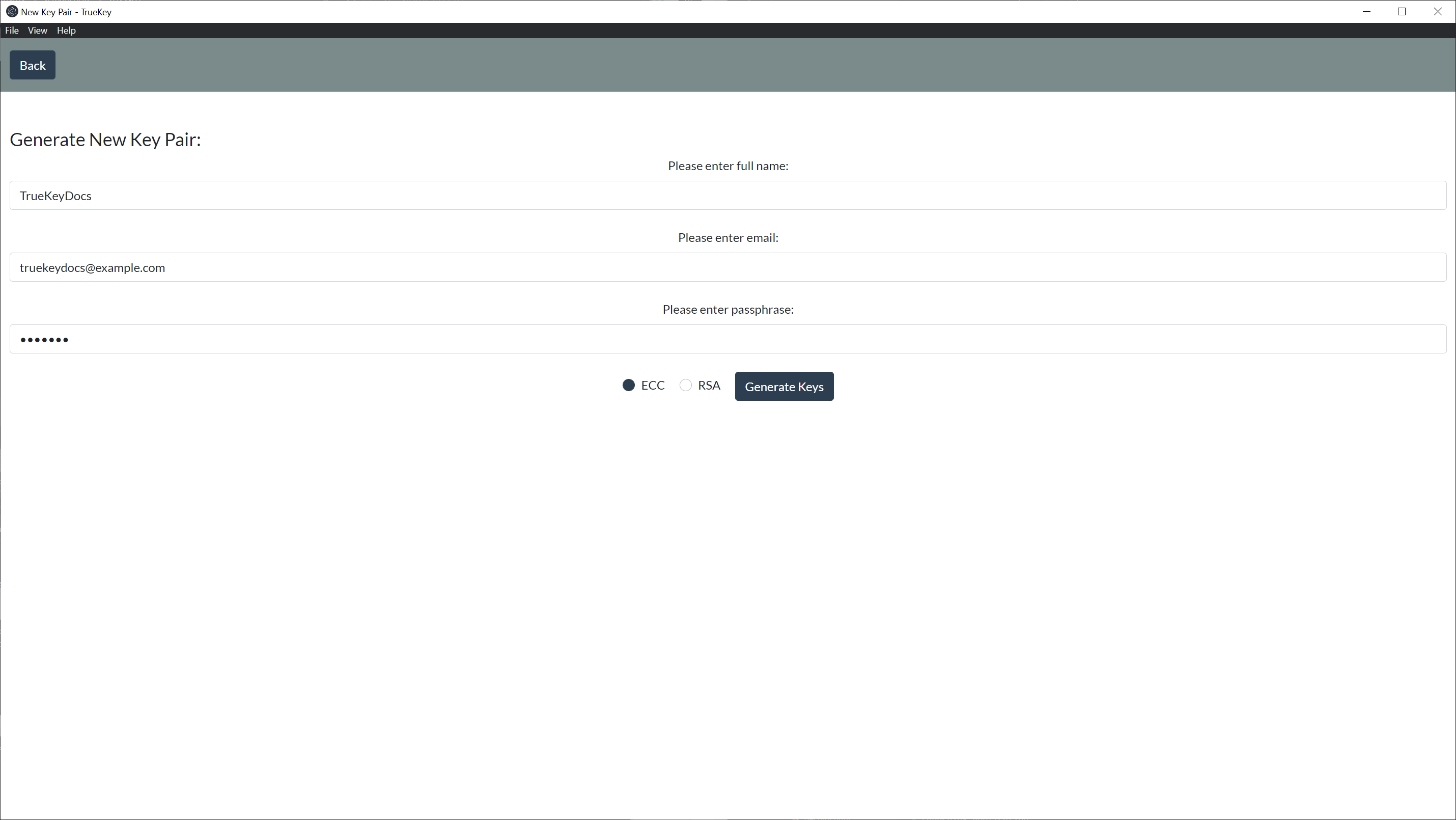
In order to generate a new key pair you need to fill out the following form:
- Provide your Name
- Email Address
- A Secure Password
Then select if you want the keys to be ECC or RSA and Click Generate Keys.
TechSlayers recommends that you stick to the default and generate your keys with ECC
# Generated Keys
Once the keys are generated they will automatically be stored within the manager and you will be presented your private key, public key, & fingerprint.
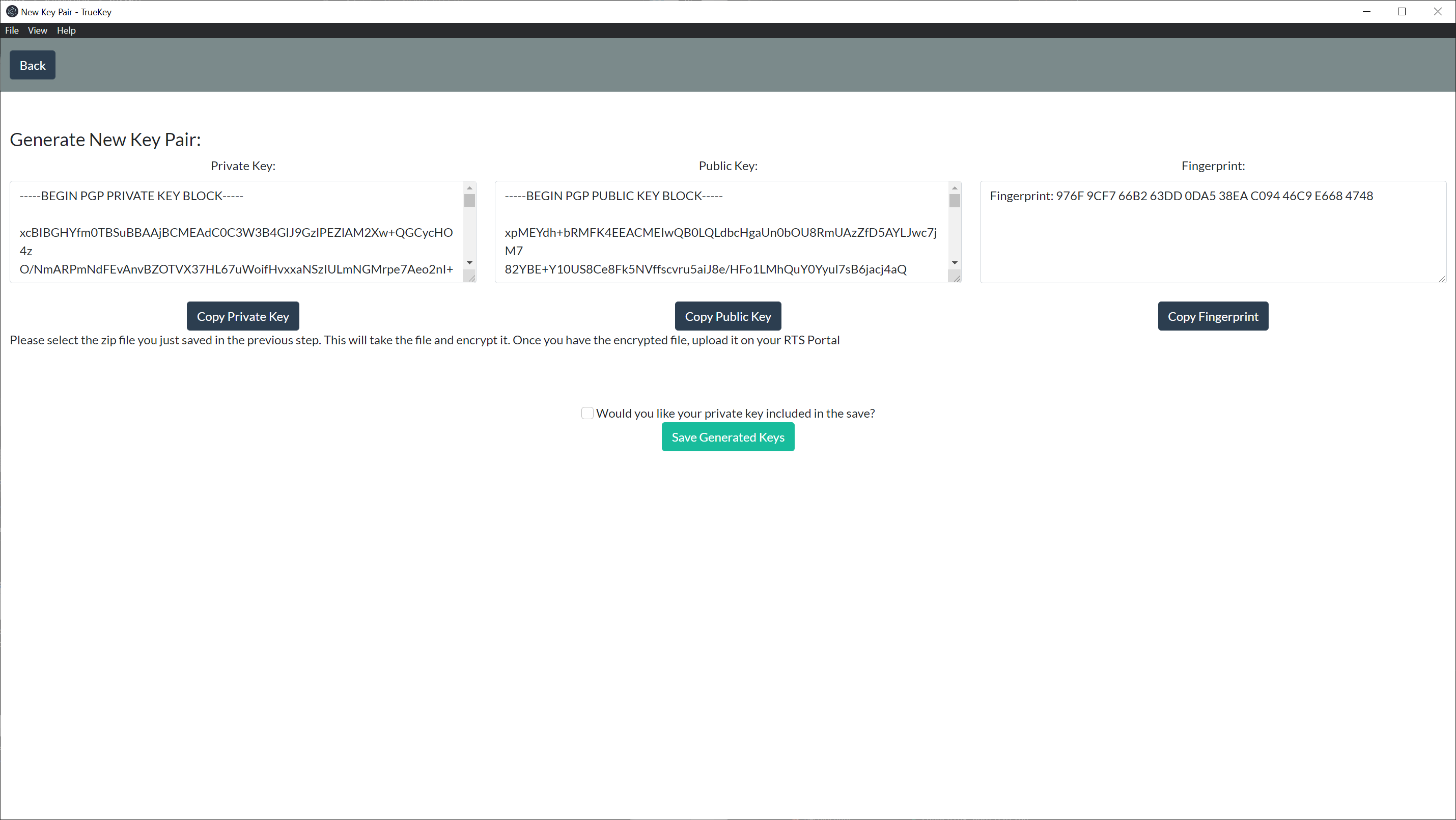
There are copy buttons for convenience to allow you to copy a key and or the fingerprint to be used, i.e. For TechSlayer Portal Key Management.
Below the copy buttons there is a Save Generated Keys button that will allow you to save your key file(s) as well as a text .txt document with your fingerprint for alternate storage.
Note: There is a checkbox that you have to check if you want your private key included in the alternative storage package.